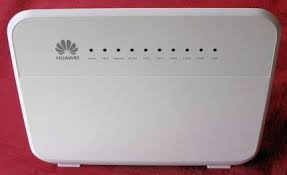
TPG Huawei HG658 – Issues with email working? (TPG/IINET use this modem/router) Steve Ulrich | July 15, 2017 | NBN, Technical, Useful Information | No Comments Thanks to Noel Moorehouse for this tip. Open a browser and navigate to the Huawei router at 192.168.1.1 Logon using your ID/PWD (default admin/admin) Select “Internet tab” then “Network Security” Change firewall level to “low” and save. Related Posts Website performance issues No Comments | Apr 1, 2015 FTTN – Network Design Rules highlight backhaul issues No Comments | Jul 9, 2015 Individual Premises Switch – What is involved? 9 Comments | Feb 2, 2016 Update on remediation – 20 September 2018 No Comments | Sep 20, 2018 About The Author steve Add a Comment Cancel replyYour email address will not be published. Required fields are marked *Comment:*Name:* Email Address:* Website: Save my name, email, and website in this browser for the next time I comment. Δ